vcenter failed to start file system check

I am having a VMWare Lab running on VMWare Workstation. The Lab is having 2 ESXi instances and vCenter is running on top of one of the ESXi. Datastore is iSCSI connected to a Windows Server 2019 running also on VMWare Workstation.
Recently vCenter has been experiencing some issues with the Datastore and was refusing to initiate with the following error – [FAILED] Failed to start File System Check on /dev/vg_root_0/lv_root_0
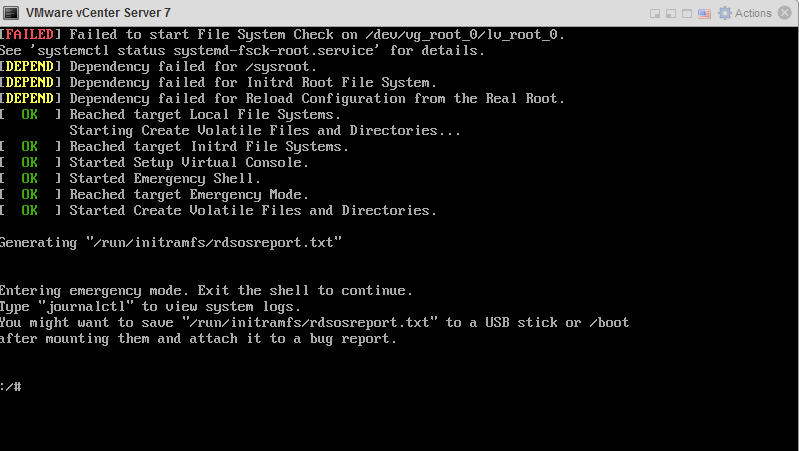
Step one: Solve the issue
In order to solve this issue, you can run these commands:
#/bin/sh
#blkid
Here is the output of the command, the path that needs to be repaired is underlined.
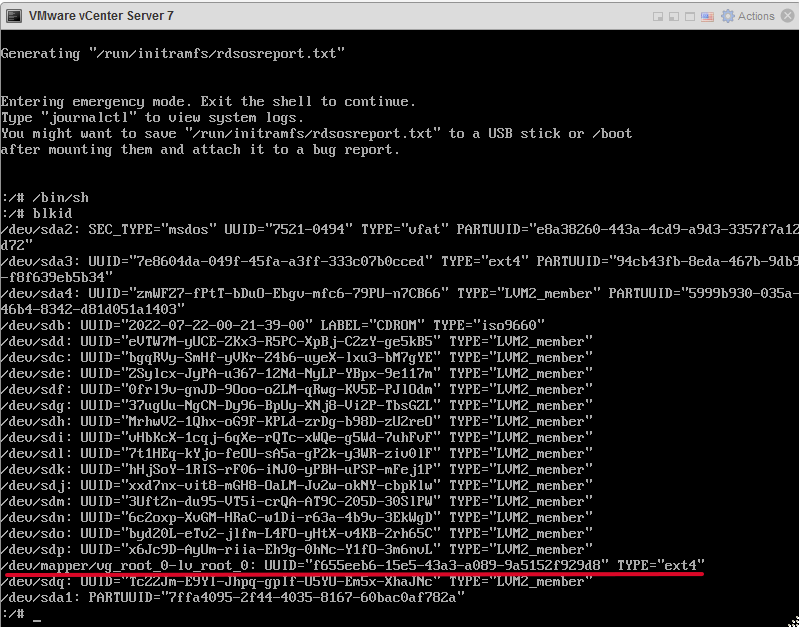
To confirm the issue run this command:
#systemctl status systemd-fsck-root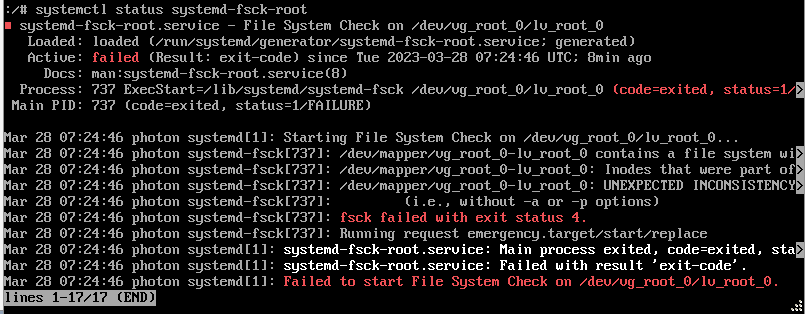
And finally to fix it run the command:
#fsck -y /dev/mapper/vg_root_0-lv_root_0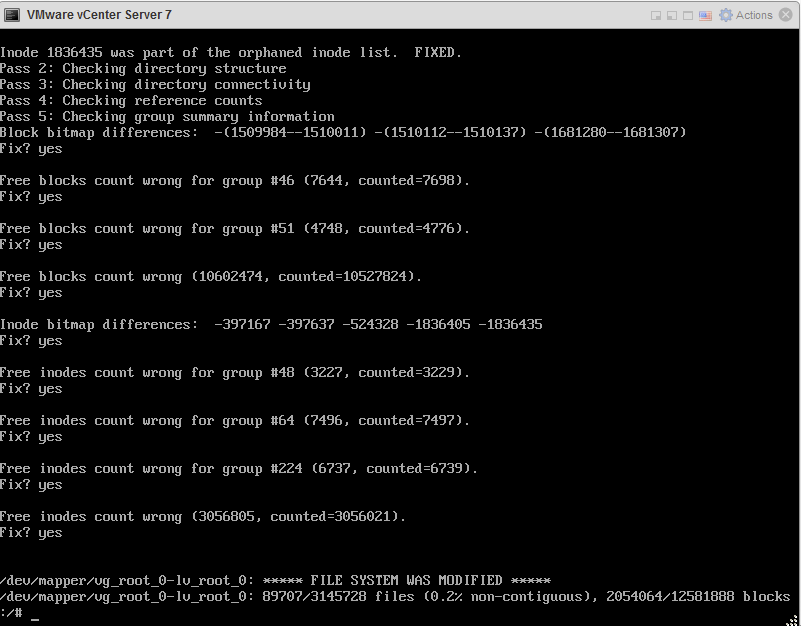
After that, reboot vCenter and it should start without any problems.
云服务器爆款直降90%
新客首单¥68起 | 人人可享99元套餐,续费同价 | u2a指定配置低至2.5折1年,立即选购享更多福利!